Pool service. Even without signal.
PoolTrail saves visit records on your iPhone while you work offline. A saved visit stays on the phone; sending customer reports, backing up to the server and receiving online decisions wait for a connection.
Keep the record at the pool.
Use the customers, route and history already saved on your phone. Enter current readings, completed work, notes and photos, then finish the visit. The local record lets you continue through a backyard with weak reception.
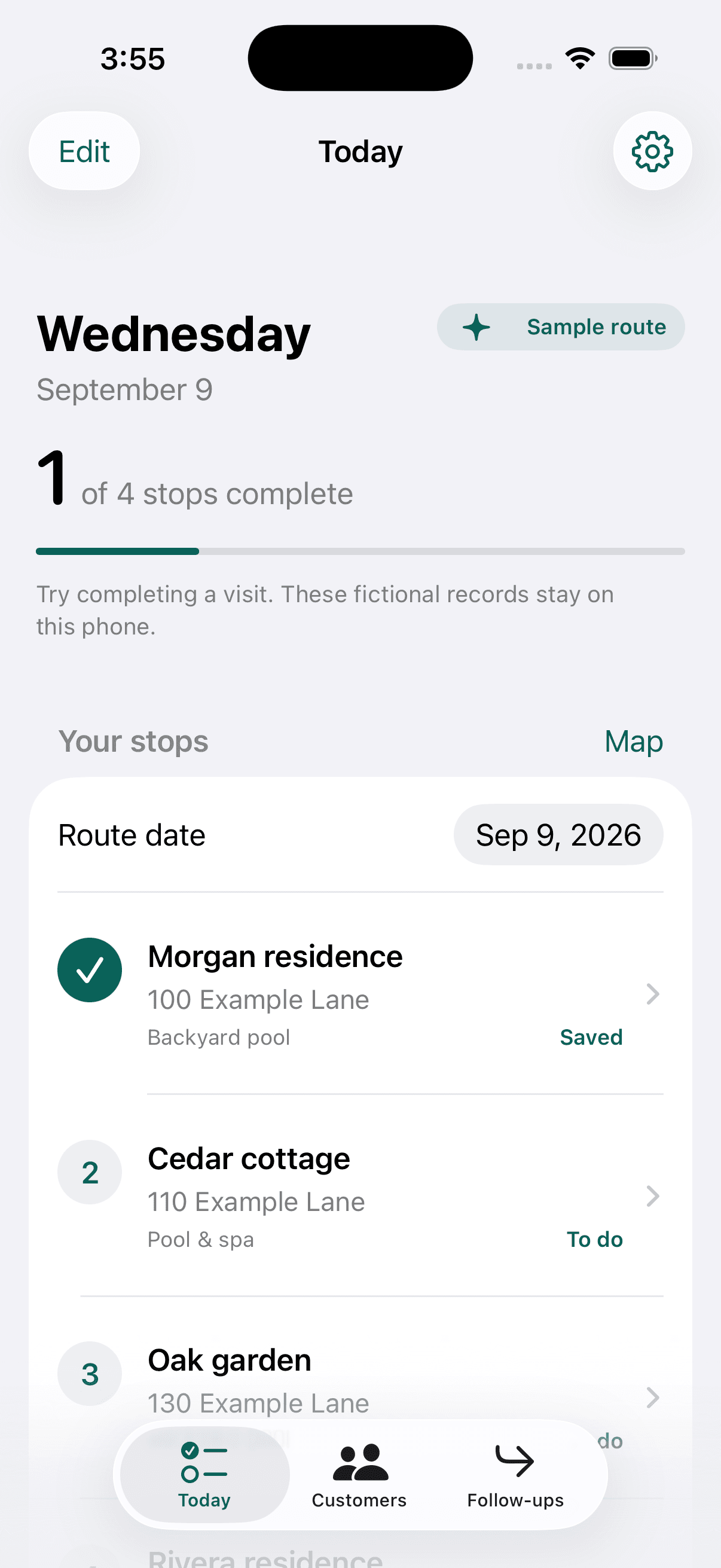
The Today screen shown here is an actual PoolTrail app screenshot with fictional sample data. The app keeps recurring visits in your manual order and can hand the next address to Maps when you need directions.
What works offline, and what waits.
Swipe across the table to see each connection requirement.
| Task | Without a connection |
|---|---|
| Read saved customers, visits and history | Available from the records already on this phone. |
| Capture readings, notes, checklist work and photos | Saved locally on the phone. |
| Finish a visit | Saved locally, with sync pending. |
| Synchronize and back up records | Waits for a connection and the required connected access. |
| Send a report or repair estimate | Waits for synchronization and active Solo access. |
| Receive a customer's online repair decision | Refreshes after reconnecting. |
| Purchase or restore a subscription | Requires Apple's online services. |
A simple reconnect routine.
Open PoolTrail with a connection.
Give pending records and photos time to sync. Saving on the phone and backing up to the server are separate steps.
Check the pending visit.
Look for an unfinished photo upload or a sync error. Retry the existing work; do not recreate the visit to force delivery.
Check the report status.
A queued report has not yet been delivered. If a send fails, review the error and recipient details before retrying. Read the reporting workflow.
Keep unsynced work on the phone.
Until synchronization succeeds, the local record may be the only copy. Keep the app and its data intact. If something stays pending, contact support before deleting the app or clearing data.
A few practical answers.
Do I need to sign in just to record a visit?
No. Business setup and phone-only records are available without sign-in. Connecting reports and backup is a separate action with a disclosure of what leaves the phone.
Will PoolTrail optimize the fastest route offline?
No. PoolTrail supports recurring schedules and a stable manual order, plus a navigation handoff. It does not calculate an optimized multi-stop route. Map availability depends on your navigation app and downloaded maps.
What if my subscription ends while I have records saved?
Existing local records remain readable and exportable. New hosted customer reports and repair-approval requests require active Solo access. See pricing and subscription details.